Virtual Parent Teacher Conferences
Our school will be holding Virtual Parent-Teacher Conferences on Wednesday evening, March 18th and Thursday afternoon, March 19th.
Parent-Teacher Conferences are an important opportunity for families to meet with teachers to discuss your child’s progress, as well as ways to help them improve. Families will be able to book appointments with individual teachers on Wednesday, March 18th from 4:30 PM – 7:30 PM and Thursday, March 19th from 12:15 PM – 2:15 PM. If you are unavailable on those dates, or if the teacher with whom you would like to conference is fully booked, please email the teacher(s) to schedule a conference at a different time.
Booking Appointments with Teachers
We are asking families to use Microsoft Bookings to schedule a 10-minute conference with each teacher that you would like to meet with.
To book your appointment:
1) Please click here to open our Parent-Teacher Conferences booking portal
2) Select one of your child’s teachers from the “Select Staff” option. (DO NOT select “Anyone.”)
3) Click one of the times displayed.
4) Fill in the information on the form and submit. Type your email address carefully.
5) Repeat for each teacher with whom you would like to schedule a conference.
Please keep in mind the following:
● In order to accommodate all parents, we must limit conferences to 10 minutes with each teacher.
● Select the name of the teachers that you would like to speak to - DO NOT select “anyone”
● Although you are selecting teachers to conference with, for co-taught (more than one teacher) courses, families may be contacted by any teacher of the class.
● While making an appointment, you will be given the choice between a telephone or a video conference. If you require translation services, please select ‘phone conference’ so that we can accommodate your language needs.
● In the event that you are unable to meet during this time or you miss your appointment, please contact your child’s teacher directly to set up an alternative time for a conference.
● Select the name of the teachers that you would like to speak to - DO NOT select “anyone”
● Although you are selecting teachers to conference with, for co-taught (more than one teacher) courses, families may be contacted by any teacher of the class.
● While making an appointment, you will be given the choice between a telephone or a video conference. If you require translation services, please select ‘phone conference’ so that we can accommodate your language needs.
● In the event that you are unable to meet during this time or you miss your appointment, please contact your child’s teacher directly to set up an alternative time for a conference.
● If you do not know the names of your child’s teachers, please access your NYC Schools Account or Jupiter account to see a list of your child’s teachers. Your child’s teacher’s names are also listed on the report card that arrived at the beginning of November.
Instructions for Parents
1) Please click here to open the booking portal. Choose a teacher from the “Select Staff” list. (DO NOT select “Anyone.”)
2) Click one of the times shown. If there is no available time, please contact your child’s teacher directly to set up an alternative time for a conference.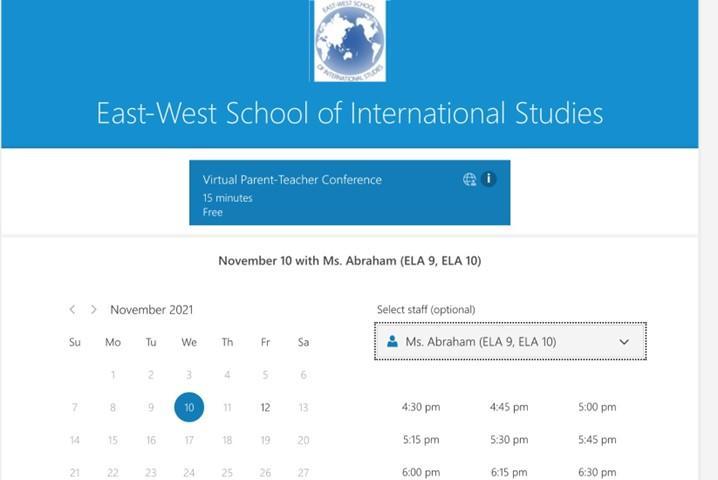
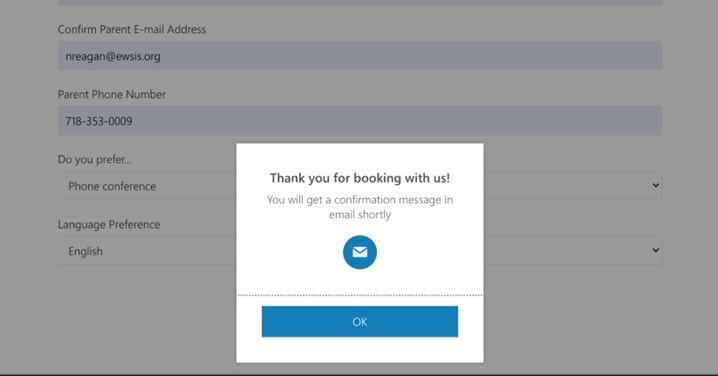
3) After you select a teacher, date, and time, scroll down to “Provide additional information.” Enter your child’s name, your name, your contact information, whether you request phone conference or video conference, and your language preference. Click “BOOK.”
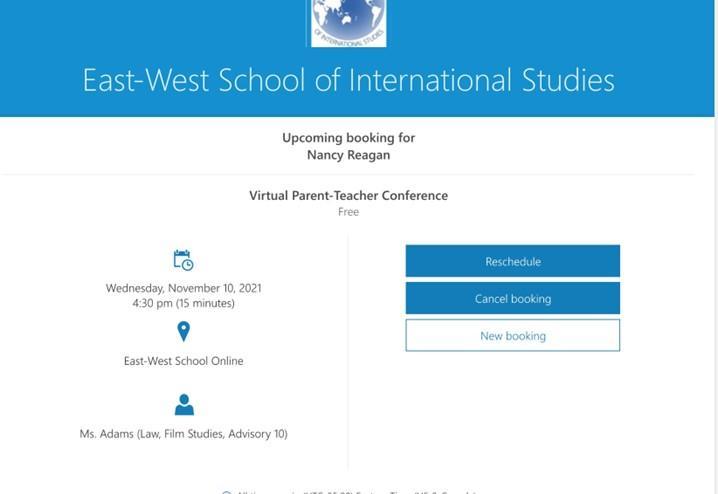
If you need to cancel or reschedule, click on the “Cancel” or “Reschedule” buttons on the email confirmation.
4a) If you select “Phone Conference,” the teacher will call you at the scheduled time. Note that the call may be from a blocked number.
4b) If you select “Video Conference,” use the “Join Your Appointment” button in the confirmation email. Please click the link for the conference room five minutes before the start of your scheduled conference. The teacher will join you for the conference at the scheduled time.